How to plan a group trip abroad
Updated June 25, 2026
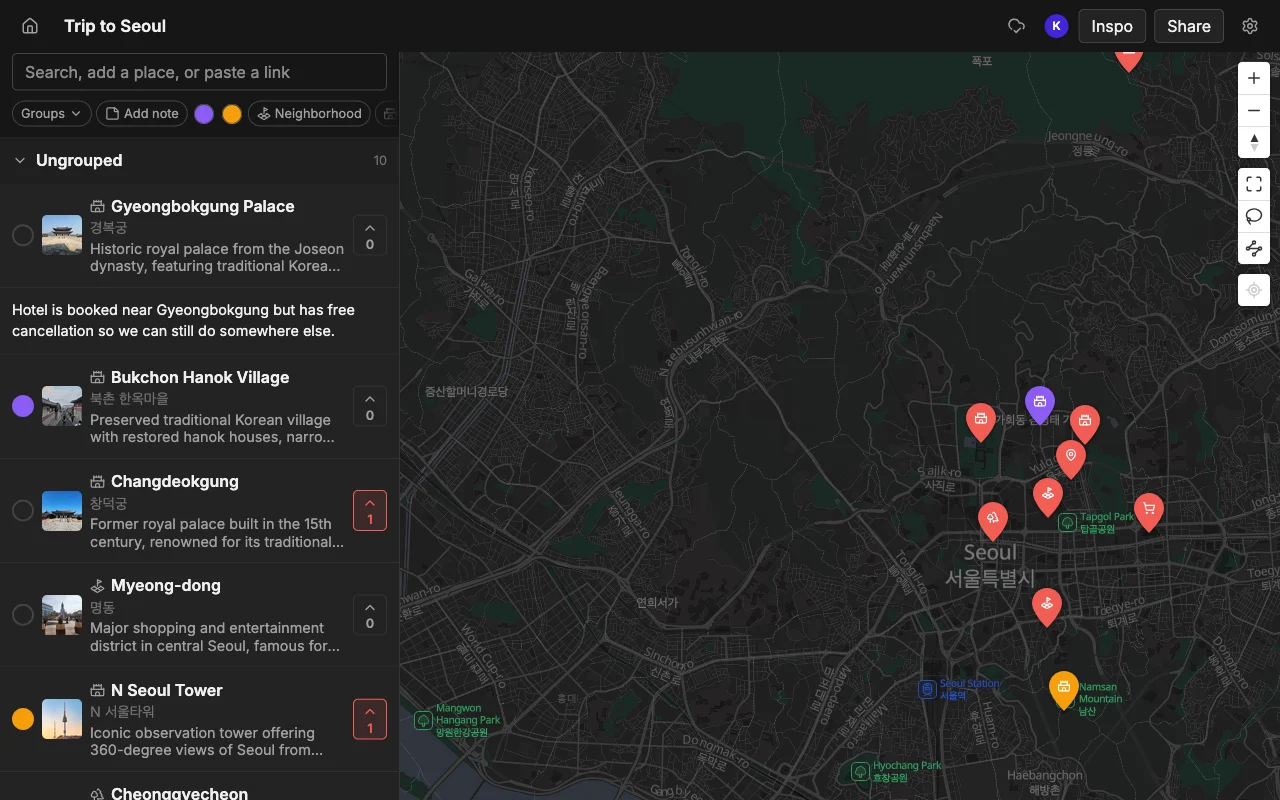
A group trip abroad is where casual planning breaks down. At home you can wing it, because everyone knows the area and a wrong turn costs you ten minutes. In a city none of you has been to, in a country where you do not read the signs, every decision carries more weight, and there are more of you making it. Six people, one unfamiliar city, and a hundred links flying around three different chats is a recipe for arriving with no plan and a lot of screenshots.
The fix is to stop treating the plan as a conversation and start treating it as a place. Places gives your group one live map where everyone’s suggestions land as pins, so the research from six people ends up in one spot instead of scattered across chats, notes apps, and open browser tabs. Everyone can see it, add to it, vote on it, and carry it, on whatever phone they own, in whatever time zone they are packing from.
This guide covers the full arc of an international group trip: gathering everyone’s spots into one map, deciding together what actually makes the cut, and keeping the whole plan in one link that works when you land, even when you are jet-lagged and someone’s phone is on airplane mode. The goal is that by the time you board, the map is the plan, and nobody is asking “wait, where are we going again?”
Collect everyone’s spots
Make a map for the destination and share an invite link. Everyone adds places, by searching or by pasting a TikTok, a Reel, or an article, so the research lands in one place instead of five chats.
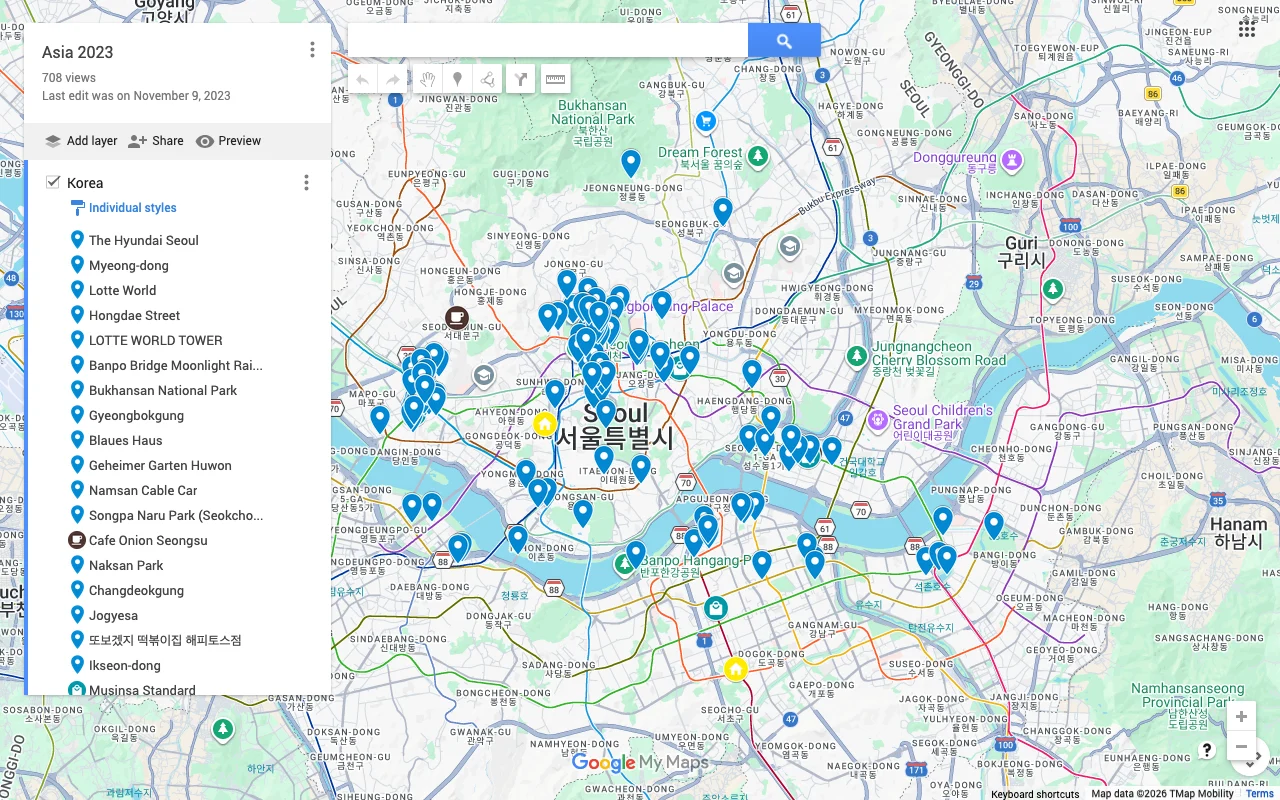
The single most valuable thing a shared map does for a group trip abroad is consolidate research. For an unfamiliar city, everyone does their own digging: one person watches food TikToks, another reads a newspaper’s “48 hours in” guide, a third gets recommendations from a coworker who lived there. Normally those three streams of research never meet; they live in three heads and three chats. On a shared map, all of it flows into one place, and you can finally see the overlap and the gaps.
Make it as easy as possible for people to contribute, because friction is what kills group input. Searching by name works for the spots people already know, but the paste feature is what unlocks the rest: drop in a TikTok food tour, a Reel of a rooftop bar, or a listicle of markets, and the places it names land on the map at once, each with a photo and a short note. Most travel inspiration for a foreign city lives in exactly these formats, so being able to pour a video or an article straight onto the map means people actually add their finds instead of meaning to later and forgetting.
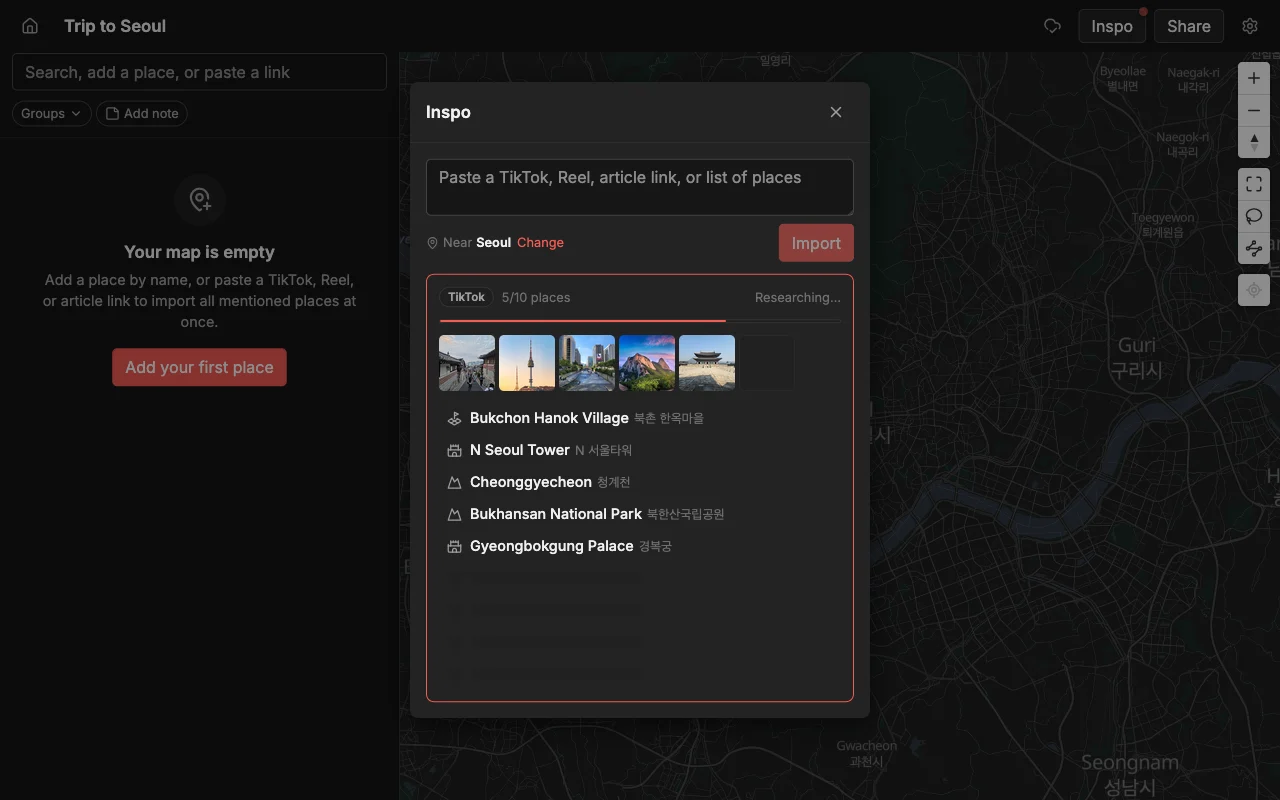
Encourage everyone to dump first and organize second. In the collection phase you want breadth: get every candidate onto the map, even the long shots, because you cannot vote on an idea nobody wrote down. It is far easier to trim a map that has too much on it than to remember the great place someone mentioned once and never pinned. A crowded map at this stage is a healthy sign that the whole group is contributing, not just the one designated planner.
Decide as a group
Vote on spots to see what the group actually wants, sort them into lists like Food and Sights, and leave a note on each place. Color the pins so the map stays readable as it fills up.
Once the map is full, voting turns a sprawling wishlist into a real shortlist without anyone having to play referee. Each person votes for the places they genuinely want, and the spots with broad support rise to the top while the one-off suggestions settle to the bottom. For a group abroad on a tight schedule, this is how you make sure your limited days go to the things most people care about, and how you avoid the trap where the loudest voice or the keenest planner quietly sets the whole itinerary.
Notes do the heavy lifting that matters more on an international trip than a local one. This is where you record the things that will actually bite you in a foreign city: opening hours in local time, whether a place takes cards or is cash only, whether you need to book ahead, and any language or etiquette tip worth remembering. Because the note sits on the pin, it is right there when you are standing outside the door, not buried in a chat you cannot search. One person doing the “does this place take reservations?” homework and writing it on the pin saves the whole group from finding out the hard way.
Lists and colors keep the map legible as it grows, and they double as a first pass at day planning. Sort pins into Food, Sights, Coffee, Bars, and Day Trips, give each group a color, and suddenly a dense map reads at a glance. More importantly, once you can see where the winning pins cluster, the shape of the trip appears on its own: a knot of top-voted food and sights in one district is obviously one day, a cluster across the river is another. You get a workable rhythm for the trip without forcing anyone into a rigid hour-by-hour schedule that a new city will wreck anyway.
Keep the plan in one link
An international group rarely moves as one block. People arrive on different flights, some extend a few days, someone books a side trip, and everyone is coordinating across a time-zone gap before you even leave. The thing that keeps this from descending into chaos is that there is exactly one map, at one link, and it is always current. Nobody is working from a stale export or a version that got forwarded twice and lost its updates.
Because edits sync live across web, iPhone, and Android, the map stays true no matter who touches it or when. Someone finalizing plans at midnight their time updates the same map the rest of you open at breakfast, with nothing to re-send. This is a genuine advantage over tools that fall short here: a desktop-only editor leaves out whoever is planning from their phone, and a system where invitees are stuck as read-only followers means only one person can actually keep the plan current. Here everyone edits, on the device they have, and the single link is the source of truth.
Use that one link as the trip’s home base. Pin it in the group chat, and when a new logistical question comes up (“are we still doing the market on Saturday?”), the answer is on the map rather than in yet another round of messages. The chat goes back to being for chatter, and the plan lives where a plan should: on the map.
Take the plan with you
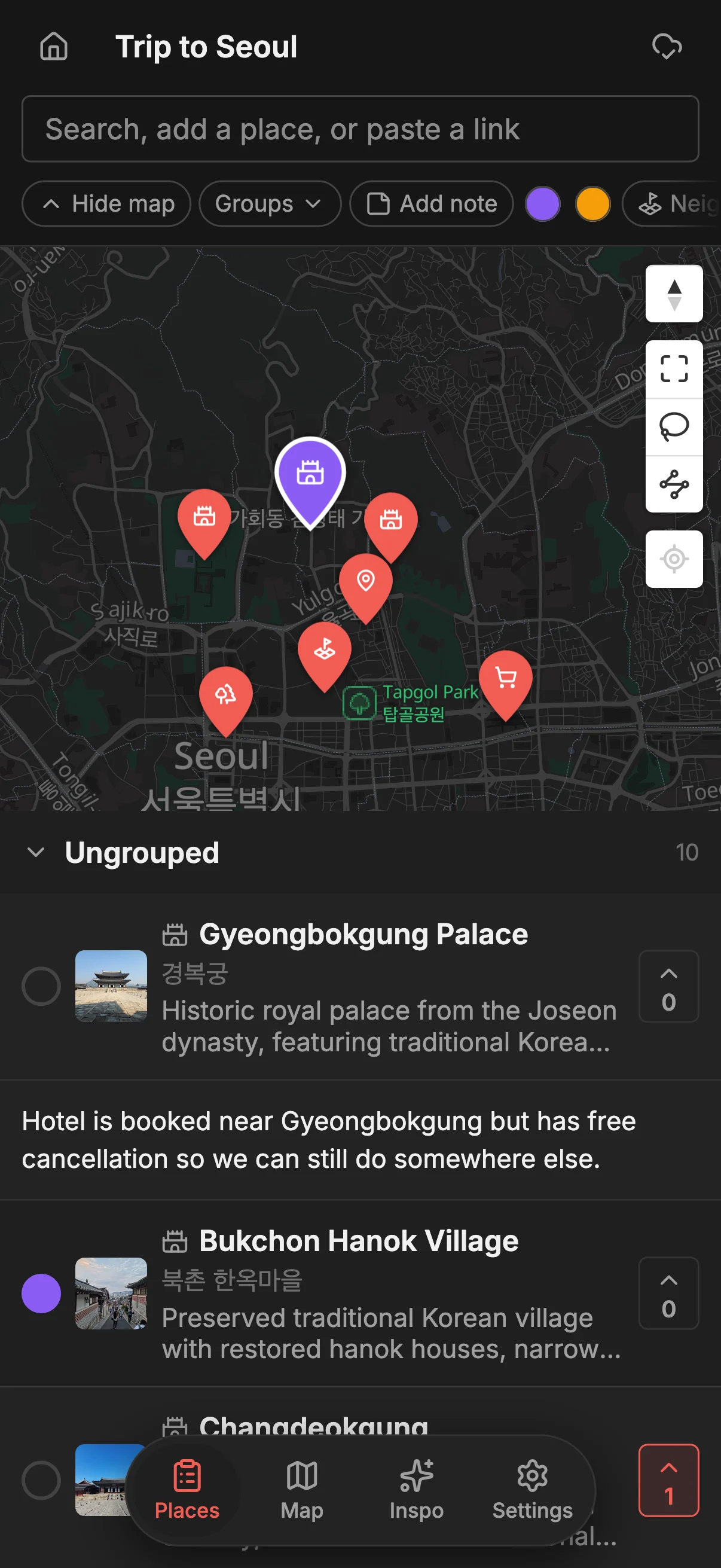
Everyone has the same map on their phone, so you can check the plan, add a spot you walk past, and vote on the go. When you want directions, export to KML to open the map in Google Maps.
Abroad, the map shifts from planning tool to daily companion. Jet-lagged and standing in a plaza with two hours to kill? Open the map, see which of your top-voted pins is a short walk away, and go. Spot a bakery with a line out the door that nobody researched? Pin it, and the whole group sees the new find instantly. The plan you built in advance keeps getting better in real time, which is exactly what you want in a city you are still figuring out.
It is worth thinking about connectivity, since data abroad can be patchy or expensive. Before you go, export the map to PDF so you have a clean, readable copy to fall back on when you are offline or roaming carefully, and export to CSV if you want the list in a spreadsheet for any reason. When you actually want turn-by-turn directions, export to KML and open the map in Google Maps, so you navigate with the app you already trust while all the planning, voting, and notes stay in one place. There is no cap on how many places come across, so a packed two-week itinerary exports as easily as a weekend’s worth of pins.
Frequently asked questions
- How do we get everyone's ideas into one place?
- Make a map for the destination and share an invite link so the whole group can add spots. People can search by name or paste a TikTok, Reel, or article, and every place mentioned lands on the map at once, so six people's research ends up on one map instead of in five separate chats.
- Does everyone need the same phone?
- No. Places works on the web, iPhone, and Android, and edits sync live across all of them. Whoever is planning from a laptop and whoever is on their phone in a different time zone are editing the same current map.
- How do we decide what to actually do?
- Everyone votes on the places they want, and you can see which spots have the most support. For a trip abroad with limited days, this makes sure your time goes to what the group genuinely wants rather than to whoever planned loudest.
- What about hours, prices, and booking in a foreign city?
- Leave a note on each pin with opening hours in local time, whether it is cash only, and whether you need to reserve. Because the note lives on the place, it is right there when you are standing outside, not lost in a chat you cannot search.
- Will the map work when we are there, maybe offline?
- Everyone carries the same live map on their phone, and you can export a PDF before you go as an offline-friendly backup for patchy signal. For turn-by-turn directions, export to KML and open the map in Google Maps.
- Is it really free for a big group?
- Yes. Places is free to start with unlimited maps, places, and collaborators, so the whole group can plan and decide together without paying.